
No More Email-Chain Docs. Make Your Client Documentation Life Simple.
Writing documentation and tutorials in emails or Word documents is exhausting work.
As a developer, answering questions like, “How do I do X with my website?” can feel like a non-stop revolving door.
Before scribe tools, I’d spend hours writing step-by-step guides, explaining things like how to add a new WordPress user or use specific plugins. I’d take dozens of screenshots, only to use half or less. Then I’d wonder why the guides looked like novels, and I’d spend even more time trying to make the instructions look less intimidating and more approachable.
The Problem With Emails, Words Docs, and PDF Documentation
Most of us default to one of three options that don't quite work:
-
Long emails that are easy to overlook and hard to reference later.
-
Word docs and PDFs that become instantly outdated and require constant version updates.
-
Verbal explanations during calls that are hard to remember afterward.
Using these methods turnsdocumentation into a big production.
Enter Scribe and Loom: Your New Documentation Dream Team
Scribe and Loom solve different problems, but together they cover almost every client tutorial scenario you'll encounter.
- Scribe automatically captures your workflow as you click through it and generates a step-by-step guide with screenshots and click pointers. Think of it as screen recording that outputs text and images instead of video.
- Loom records your screen, voice, face, and then uses AI to add subtitles and break your video into searchable chapters. It's perfect when you need to show the bigger picture or walk through something more complex.
Here's when to use each one.
When Scribe Wins: Repeatable Technical Processes
Scribe shines for processes you'll teach over and over again. The kind of tutorials where the steps don't change, but the client does.
The tutorials you're probably repeating constantly:
- How to purchase a specific web hosting plan
- How to add a blog post in your CMS
- How to invite us to your domain registrar account (eg. GoDaddy)
Instead of creating multiple Word docs or PDFs that need updating every time a tool's interface changes, everything lives in one cloud location. You just update the Scribe guide once. Everyone who has the link sees the current version. No versioning chaos, no outdated files floating around client inboxes.
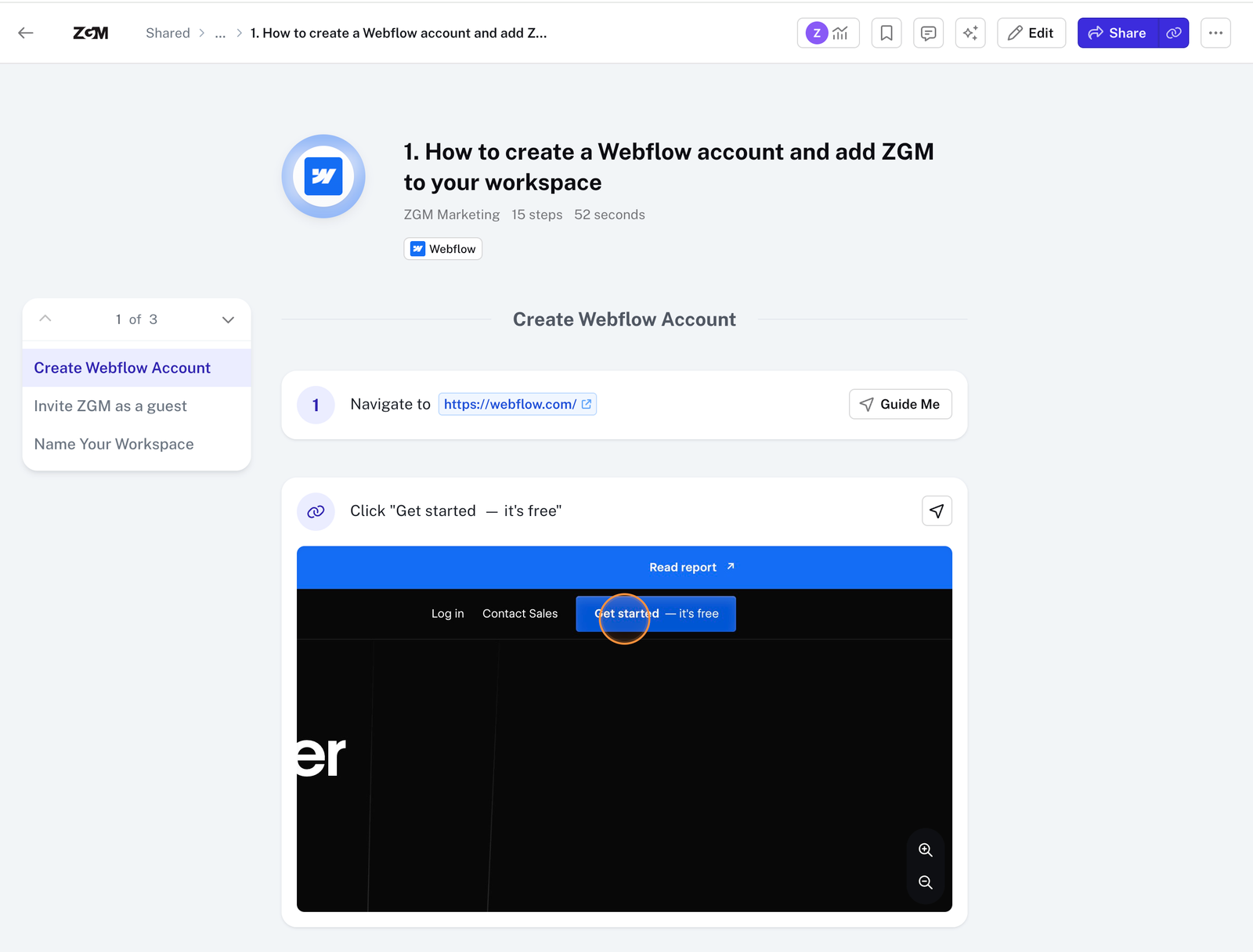
An example of a Scribe tutorial we frequently share with out clients
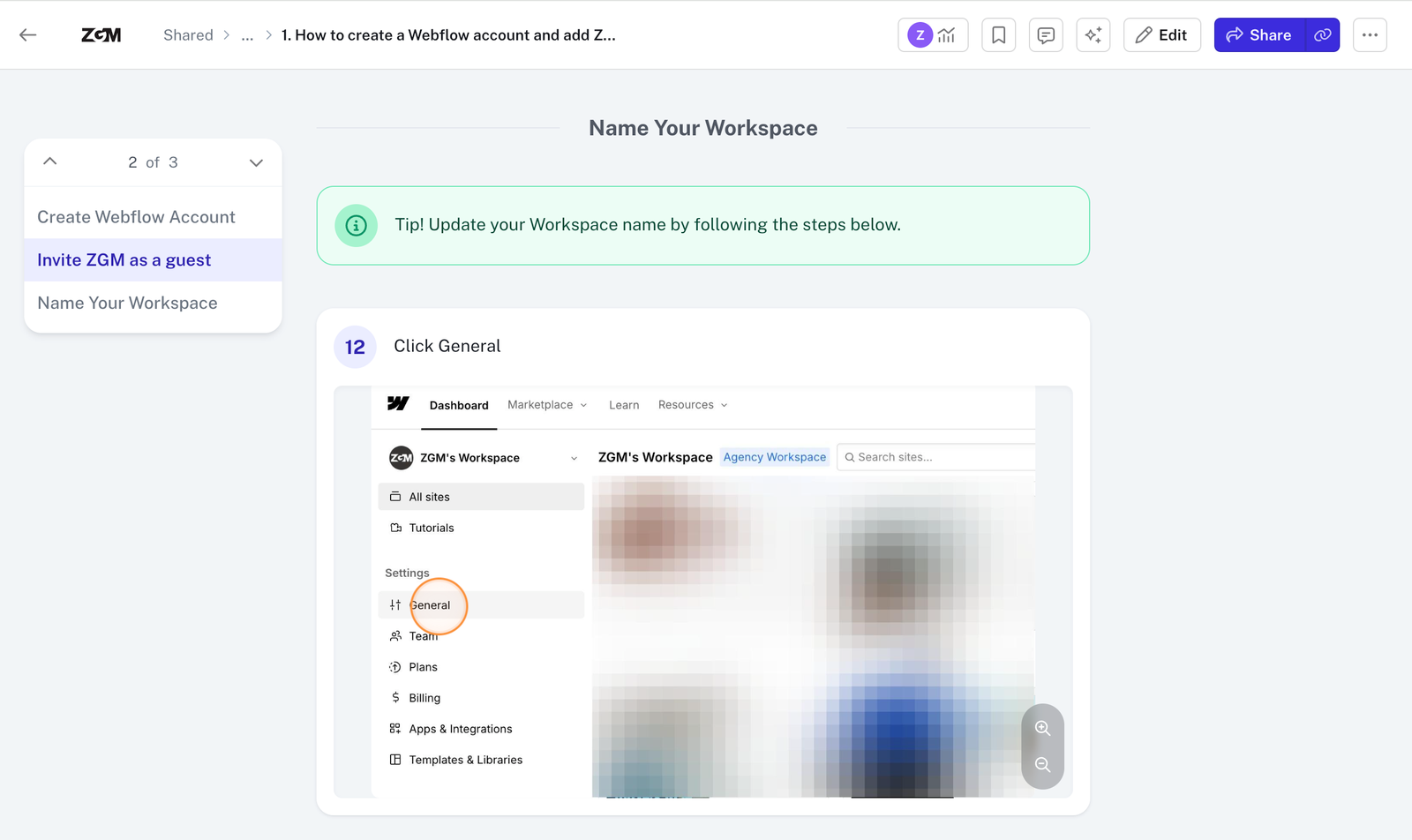
Examples of the different types of steps you can create in Scribe, and how to redact sensitive information in images using Scribe’s image editing tool.
When Loom Takes Over: Context and Bigger Pictures
Use it when you want to:
- Provide a broader perspective than Scribe’s step-by-step screenshots allow.
- Walk through multi-step workflows that occur outside the browser, which Scribe can’t capture.
- Show clients where to find things in complex UI or filter systems
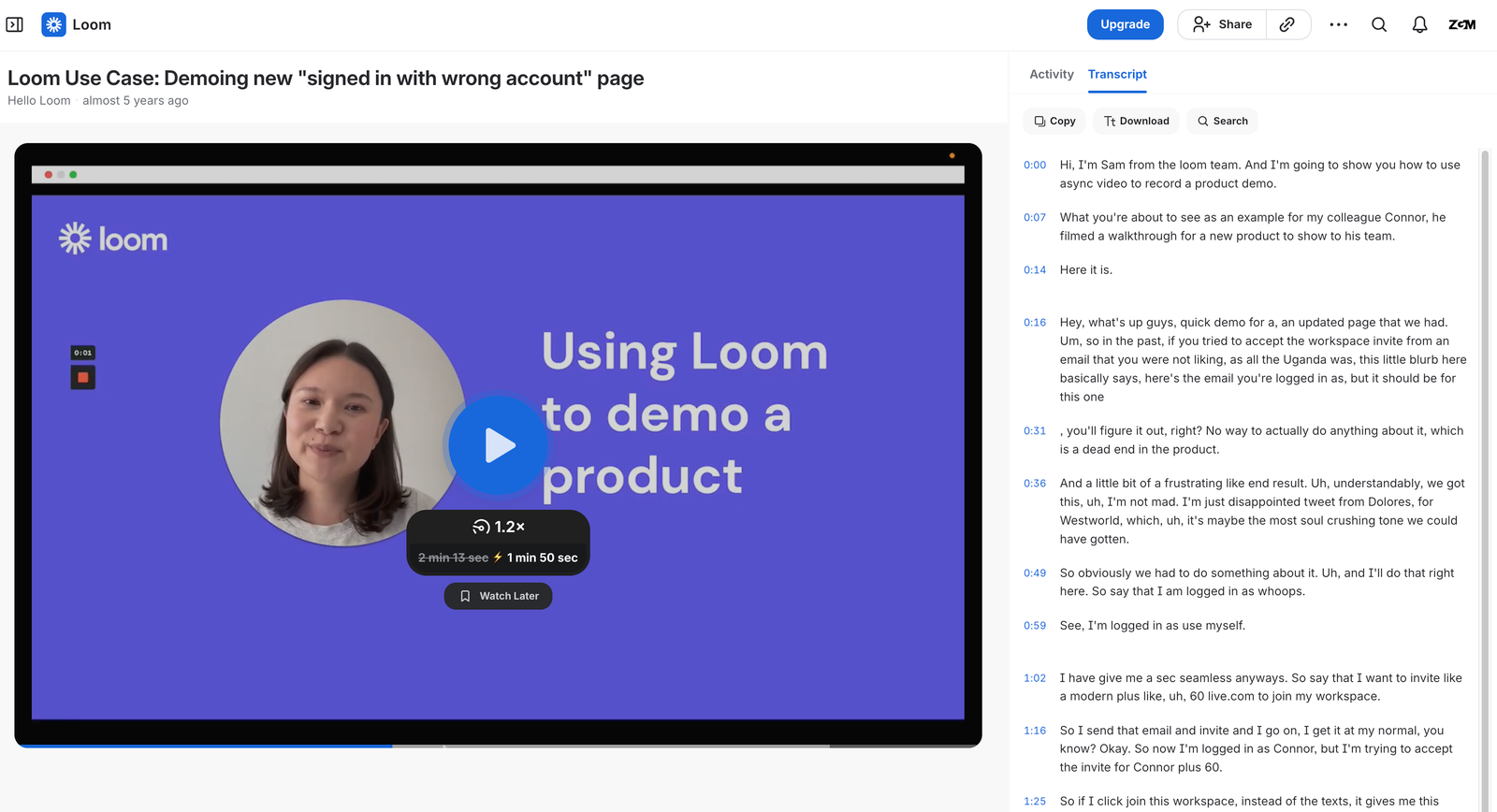 An example of a Loom video, and the video captions/transcript it auto generates based on what you say
How to Use Them Together
Documentation feels less like a chore when you combine both tools strategically.
Start with Scribe for your foundational, repeatable processes. Build a library of these guides that your team can reference and share with clients instantly.
Use Loom for client-specific situations, strategic explanations, or anything that benefits from your personality and context.
Real example from our workflow:
We have a Scribe guide for"How to Purchase Web Hosting" It's an 11-step process that rarely changes, so every client gets the same link.
For a more complex tutorials such as"How do I search for this specific filter in my CMS?" or"How do I format this link for my blog post?" we send a quick Loom video. Recording takes just a few minutes, but it saves hours of back-and-forth emails and gives clients a clear, visual explanation.
Making Client Education Easier for Everyone
Client education doesn't have to be a constant drain on your time. With the right tools and a bit of upfront investment, you can turn repetitive tutorials into reusable resources that make both you and your clients happier.
Scribe handles your repeatable technical processes. Loom covers everything else. Together, they free you from the cycle of recreating the same tutorials and give you time back for the work that requires your unique expertise.
Subscribe to the blog
Get new ZGM posts on marketing, strategy and growth delivered to your inbox.